Bonus Lesson on Blockchain Indexers: How to Make a Simple Token Tracker


Last week we published a course on blockchain indexers. We explained that indexers are needed to get on-chain data quickly and that almost all blockchain applications use them.
The course featured simple projects like liquidity baking statistics and APY calculation. Today we decided to show how to make something more valuable and complex: token price change statistics or a token tracker. Baking Bad, we beg your forgiveness for using TzKT API so bluntly!
What Our Tracker Will Be Capable of
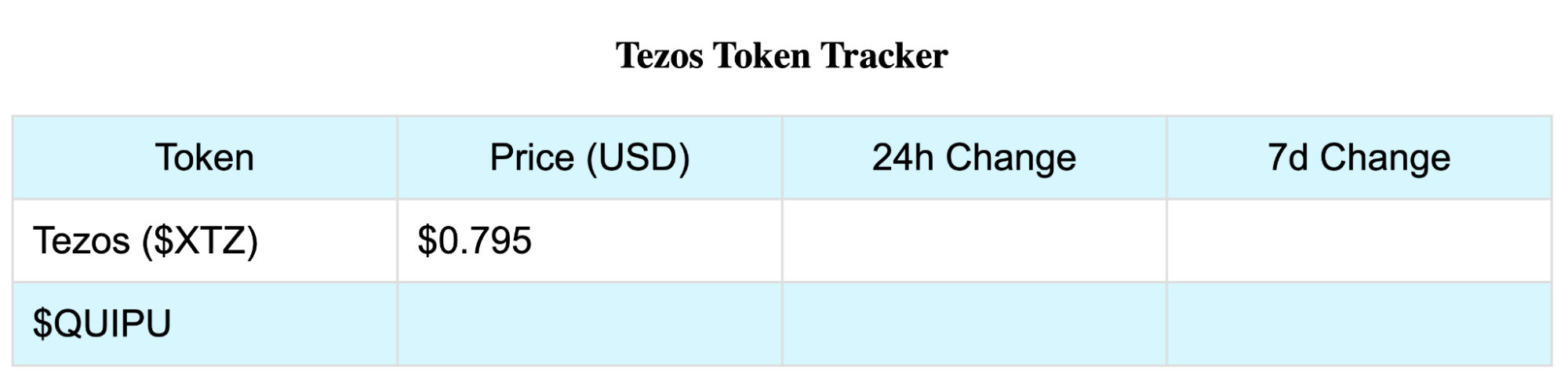
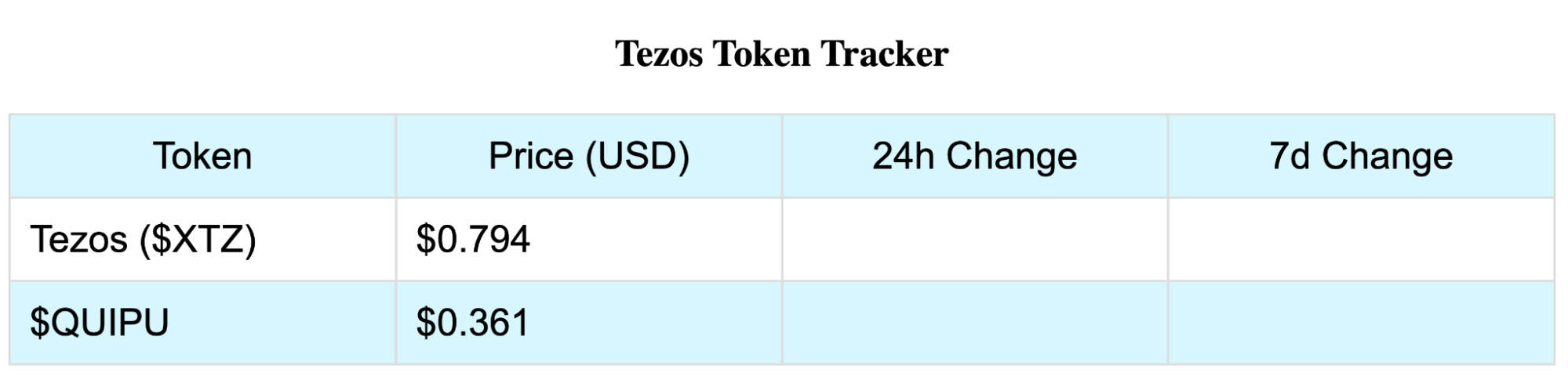
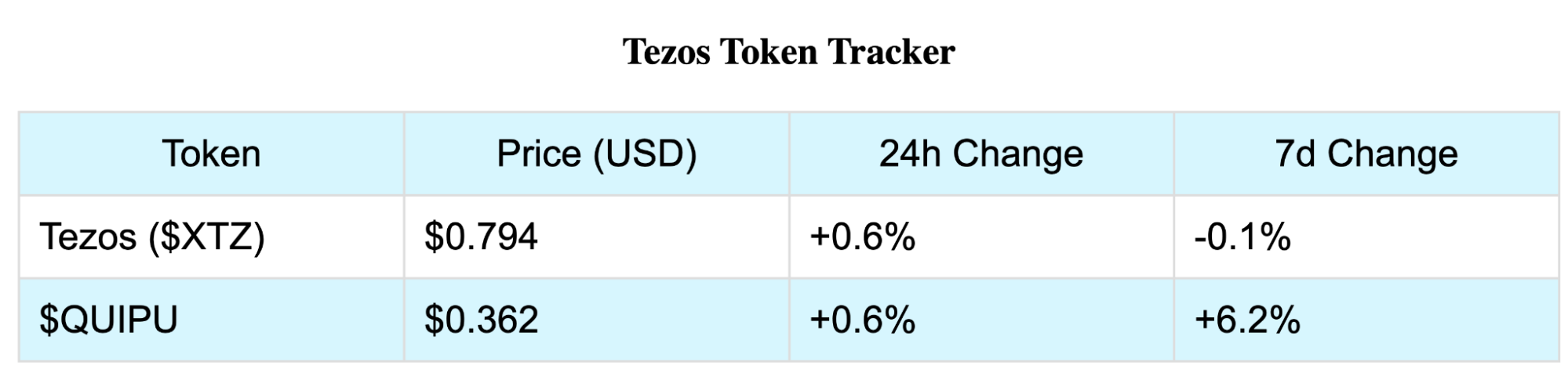
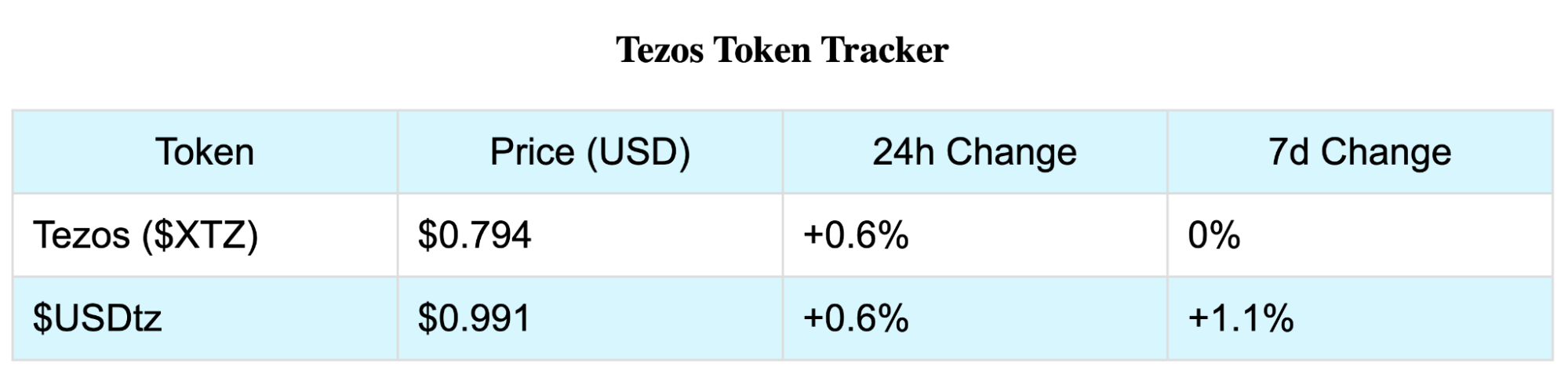
We will use the TzKT API to retrieve online data from QuipuSwap pools and token contracts. Then we will process them and use them further to automatically count token price changes over a day and a week and pull the token’s name from its contract. The result is a web page like this:
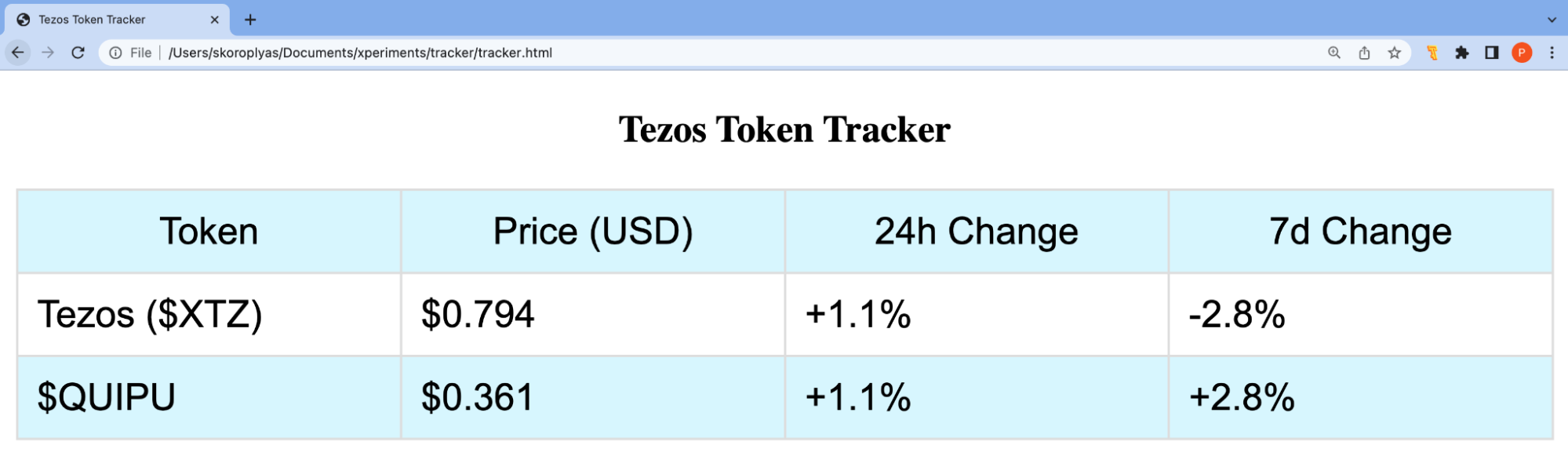
How the tracker works:
- Gets the current tez price on the exchange.
- Takes the token address from the contract store of the specified QuipuSwap pool.
- Queries the token address and gets its name.
- Calculates the price of the token in the pool.
- Queries the previous day’s tez quotations, calculates the percentage change.
- Uses the last day’s tez price to calculate the token price 24 hours ago and the percentage change.
- Does the same, but with the previous week’s data, to calculate the difference in price over the week.
Our mini-project can be scaled to become a full-fledged token tracker that would account for liquidity in all DEX pools, count trade volumes, store everything in its own database and not ask for TzKT every time the page reloads. But it has a different task: to show how to work with indexers and, most importantly, to inspire beginners. Even with minimal experience, you can do a worthwhile project for the ecosystem!
Write an HTML Page
Create an empty HTML file and import the jQuery library into it. We need it for ajax requests to TzKT API. Be sure to make a table with column names right away: Token, Price, 24h, and 7d.
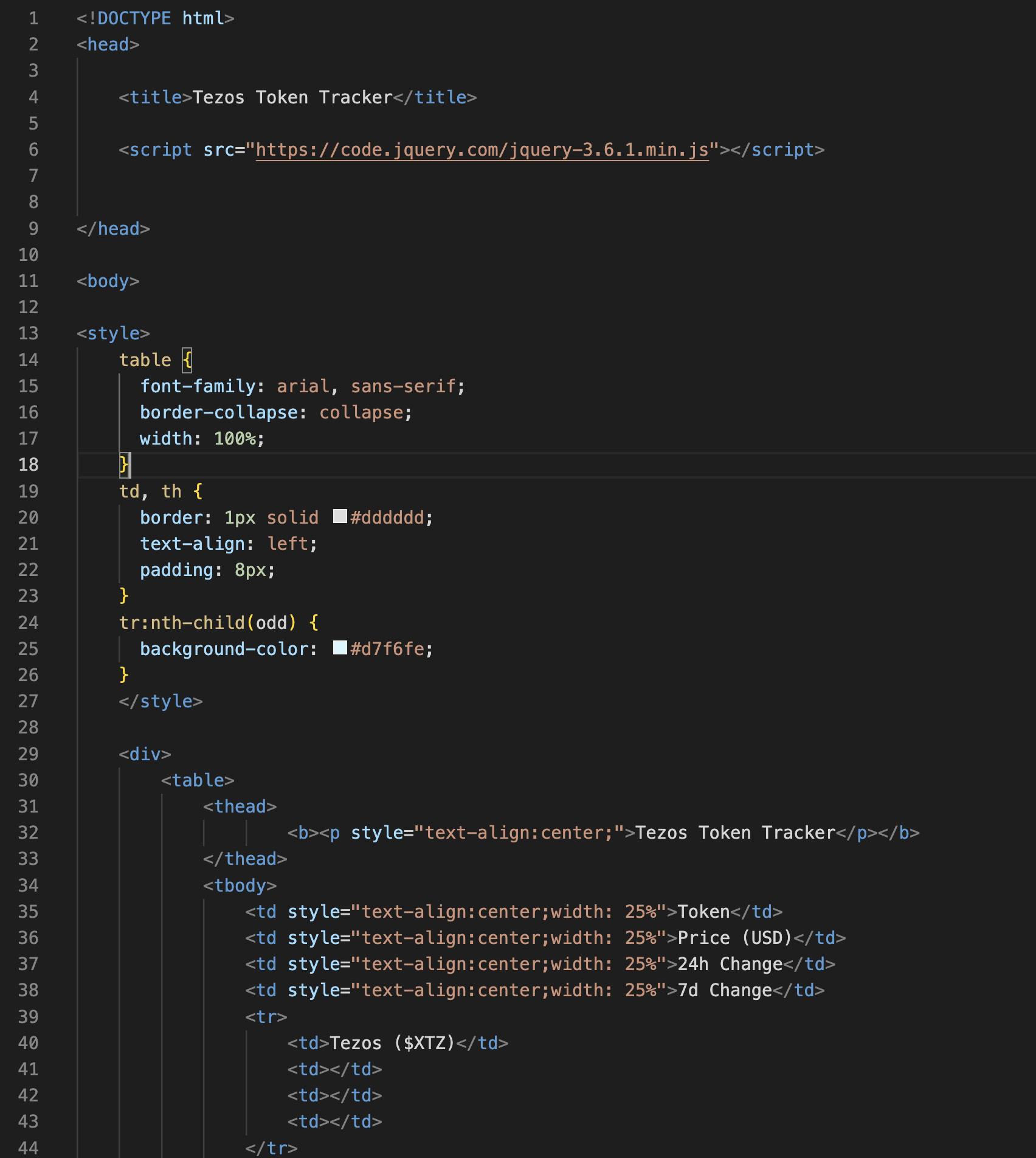
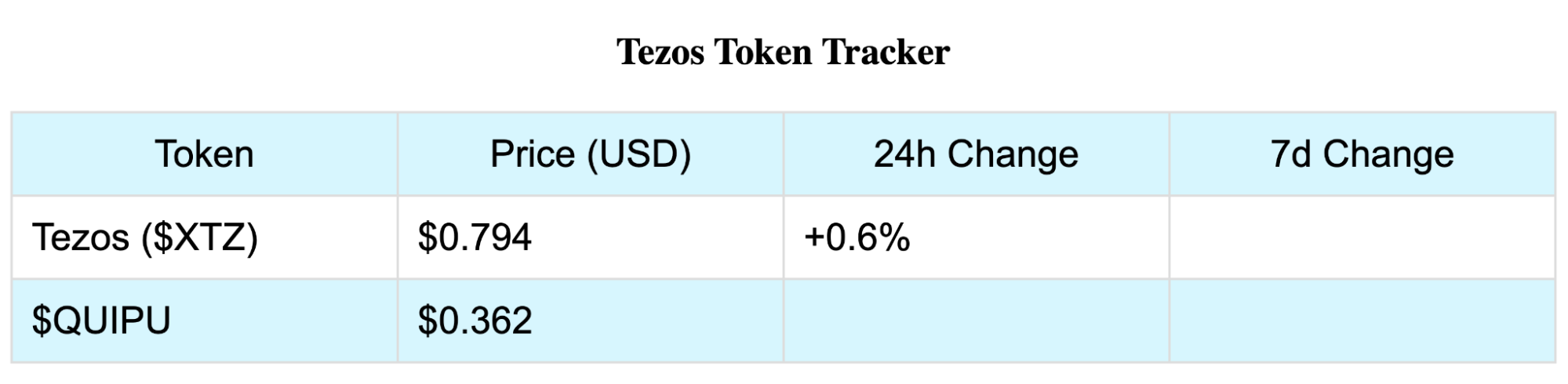
We’ll specify a minimal style but still ignore all the CSS features. We’ll end up with a table.

Request the Tez Price
Set the function $(document).ready(function(){}, which will run after the page loads.
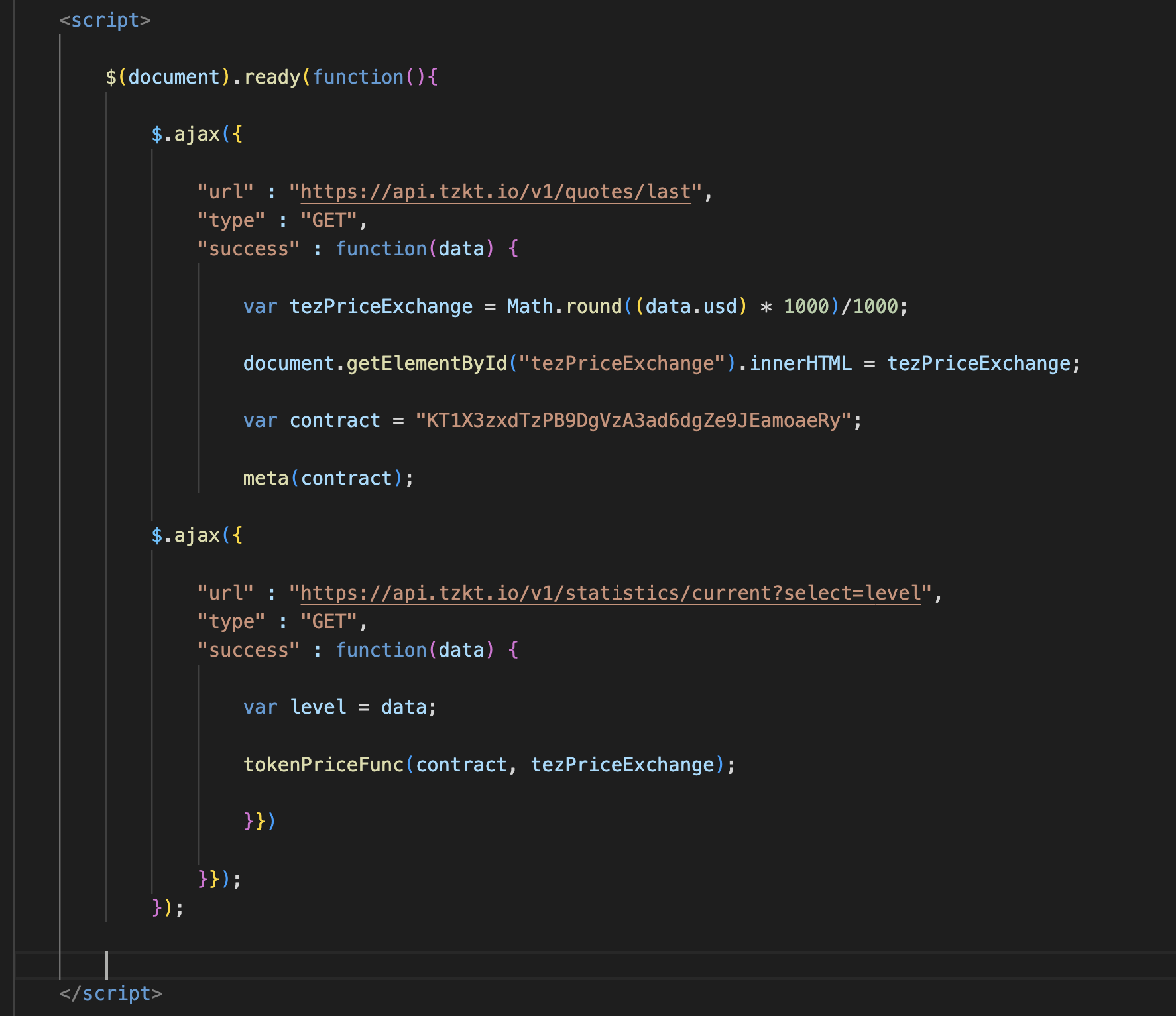
In this function, we use ajax to call quotes/last from TzKT API. We write the price in USD to the tezPriceExchange variable and assign that value to the tezPriceExchange element.
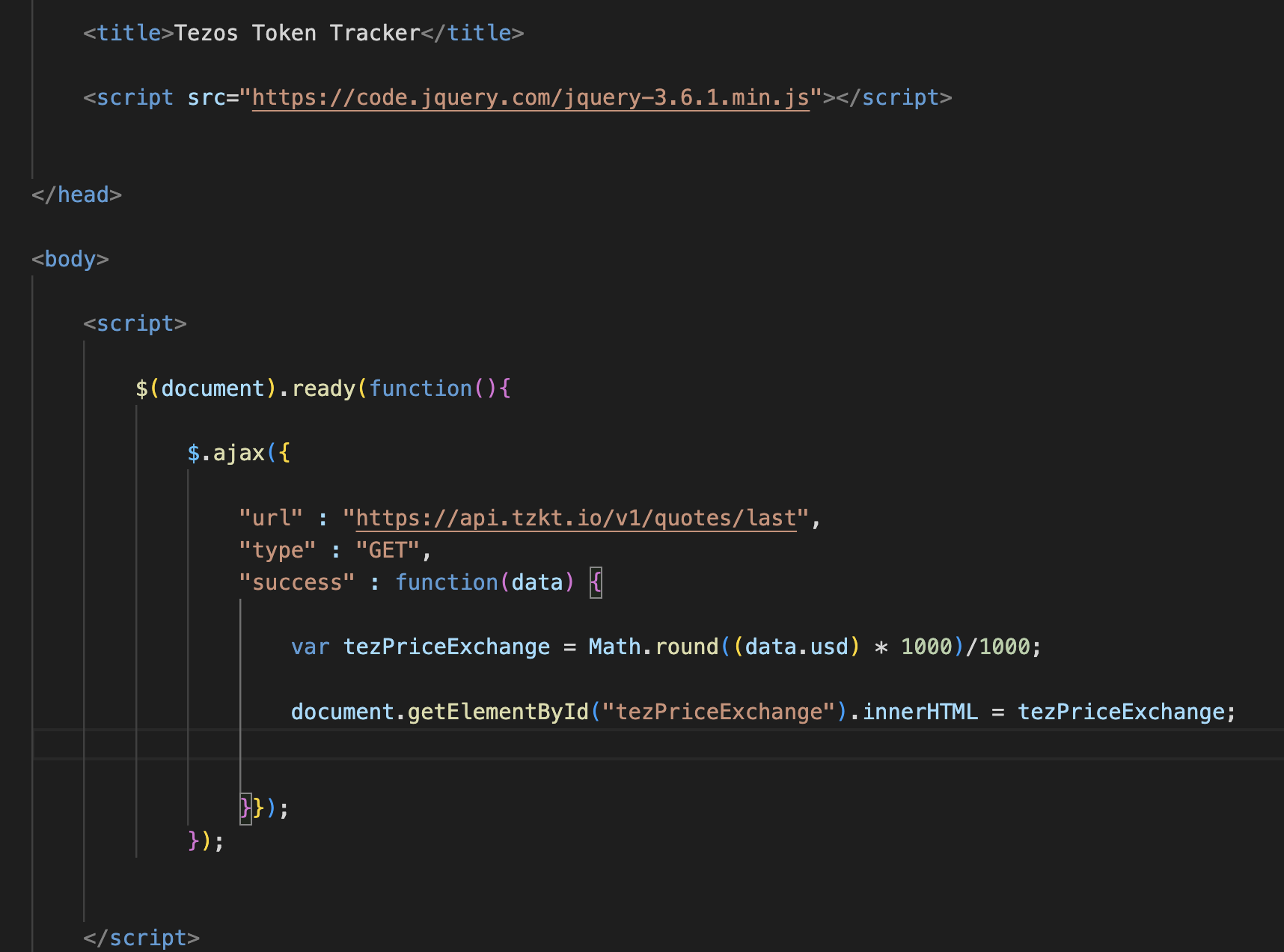
Add this id to the appropriate table cell in the <span> element, reload the page and get the current tez price.

Receive the Token’s Name and Price from QuipuSwap
Add to the first function a variable with the contract address of the token pool to tez (we chose the QUIPU/tez pool). Call the meta function and give the pool address to it.
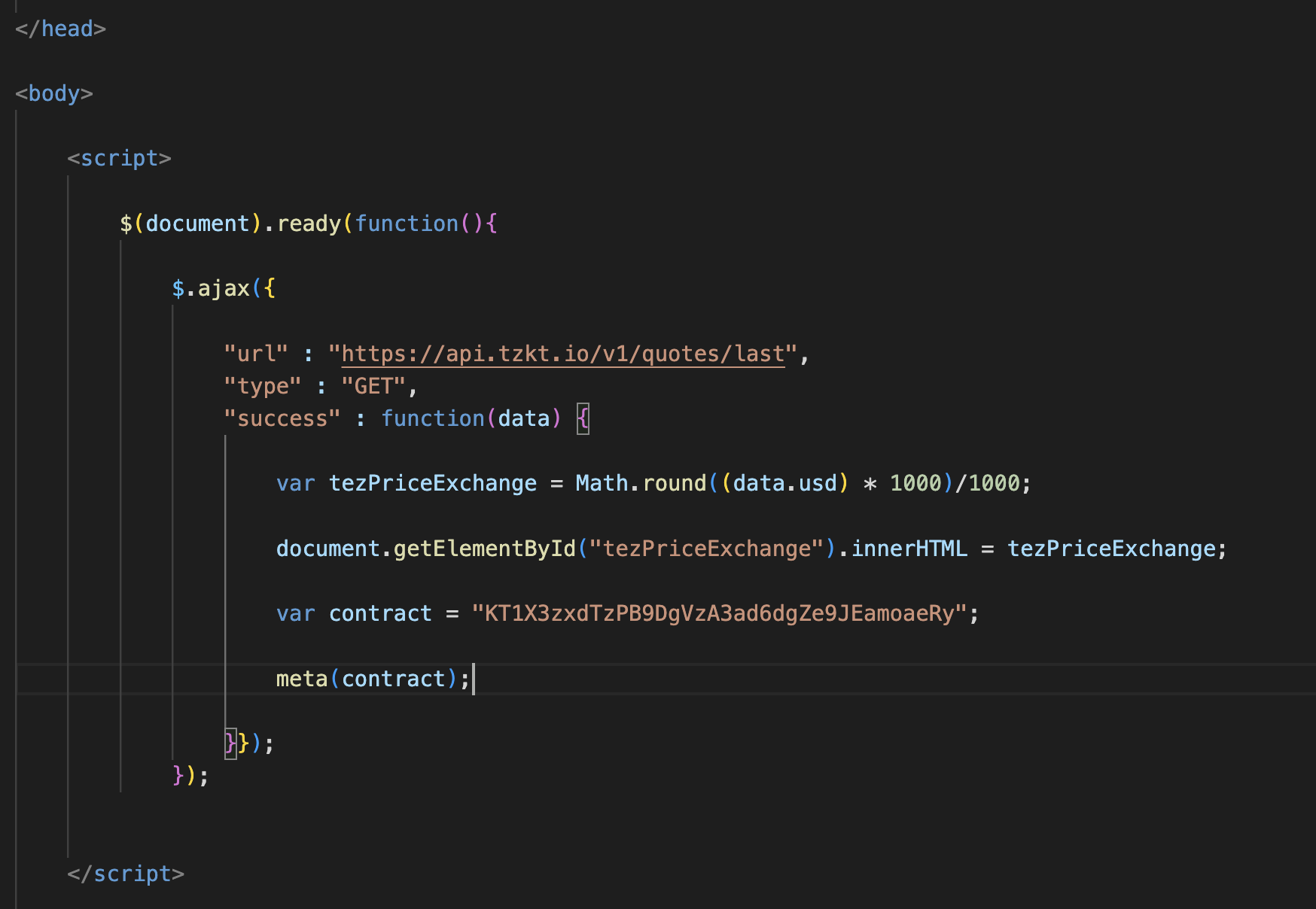
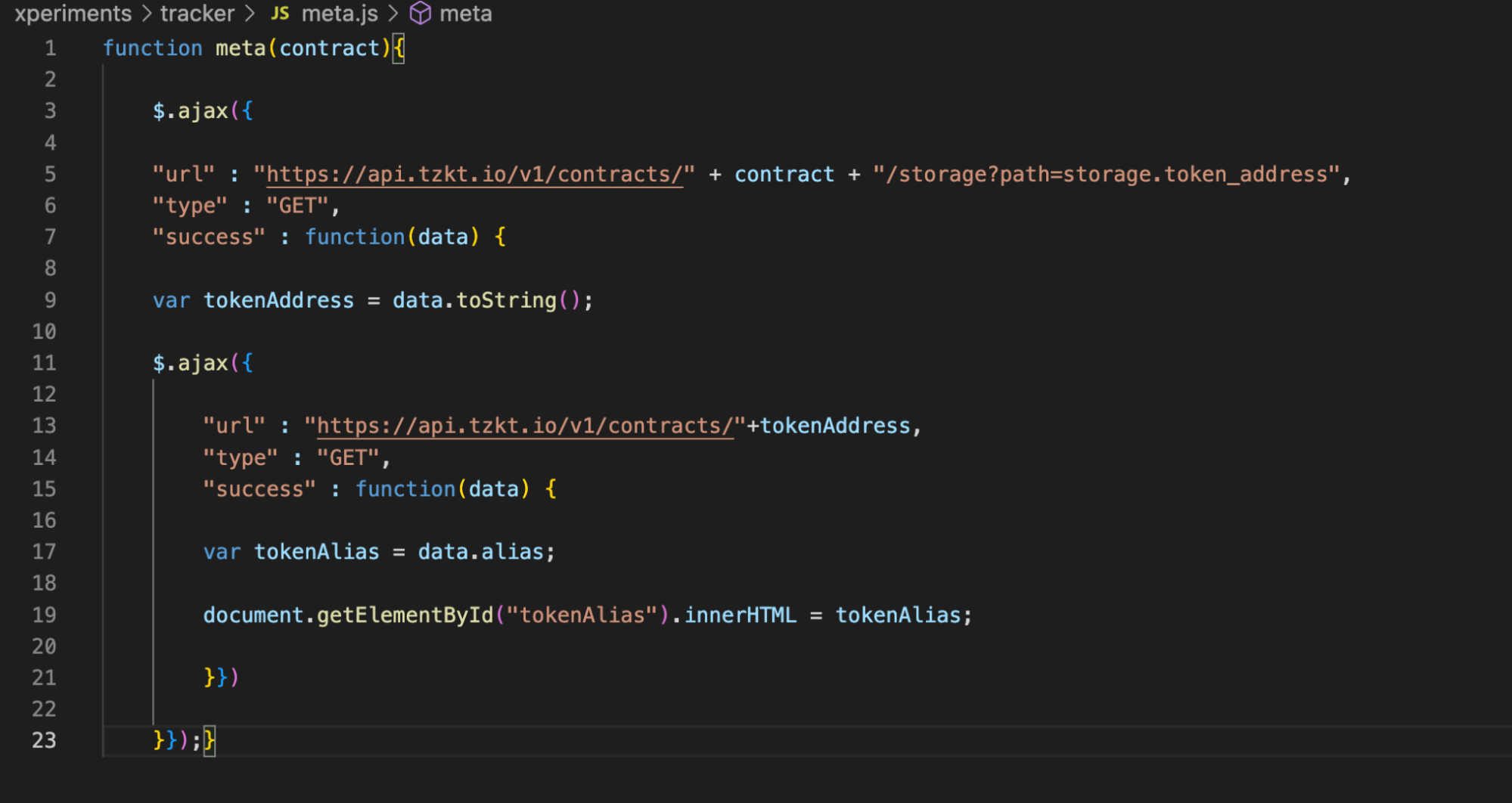
Create a meta.js file in the project folder and import it into the page. Declare meta function in the file itself. There we ask API TzKT for the pool contract repository and use the filter ?path to get only the token’s address, which is swapped in this pool. We write the address to the variable tokenAddress. Don’t forget about toString() so that the value can be inserted into API-request.
Then write one more ajax request, but now request data about the token contract: not storages, but general data. From it, we get the alias, i.e., the token’s name. Write it in the corresponding variable.
Go back to the HTML file, add a second line to the table and a tokenAlias element to the Name cell. Reload the page and get the name of the QUIPU token.
Everything works, so let’s calculate the prices.
Create a Base to Calculate the Changes in Tez and Token Prices
To calculate the price of a token in the QuipuSwap liquidity pool, you need to get two values from its contract: the number of tez and the number of tokens. These are recorded in the repository under the keys tez_pool and token_pool. The final formula will look like tez_pool/token_pool×tez_price (but the variables are named differently in the code).
With the TzKT API, we can get the storage values at the specified blockchain level. To find out the past ratio, we need to know the current level, subtract from it the number of blocks created in 24 hours and seven days, and query the state of the storage in that block. Similarly, we get the price tez: just request quotes at the desired level.
Let’s go back to the code. We add a request to the TzKT API to get the current level, write it into a variable and call the tokenPriceFunc function. Next, we will make several built-in functions that will call each other in sequence and give tokenPriceFunc the necessary parameters for the calculation: the address of the pool contract and the current tez price.
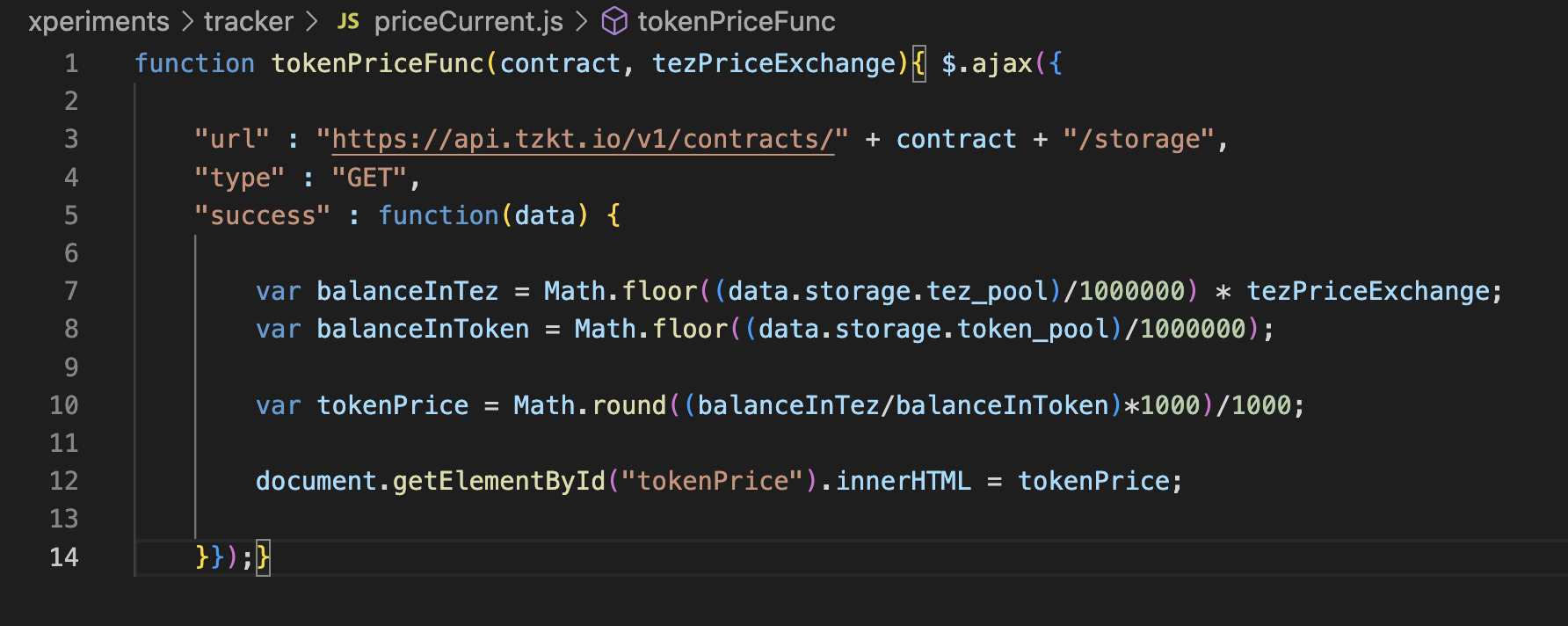
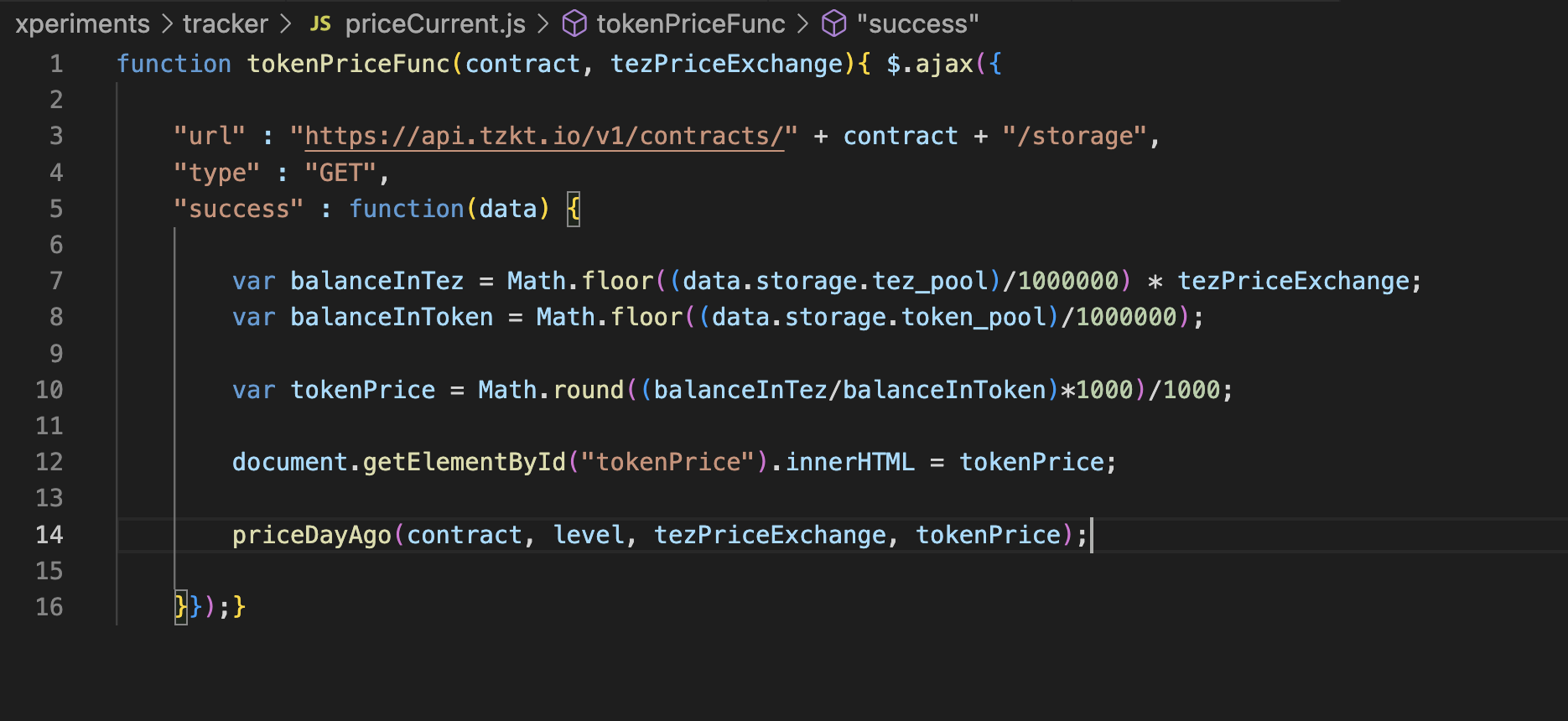
Create the file tokenPriceCurrent.js. Let’s declare the function tokenPriceFunc in it. Inside we will request the state of the storage of the specified contract. From it, get the number of tez (variable balanceInTez) and the number of tokens (balanceInToken). Now divide the number of tokens in the pool by the necessary number of zeros after the decimal point.
In the variable tokenPrice, calculate the token’s price in the pool and immediately assign this value to the tokenPrice HTML element.
Add the element tokenPrice to the table and reload the page.
Calculate the Tez Price Change Over 24 Hours
Add a level parameter to the tokenPriceFunc function call in the HTML file.
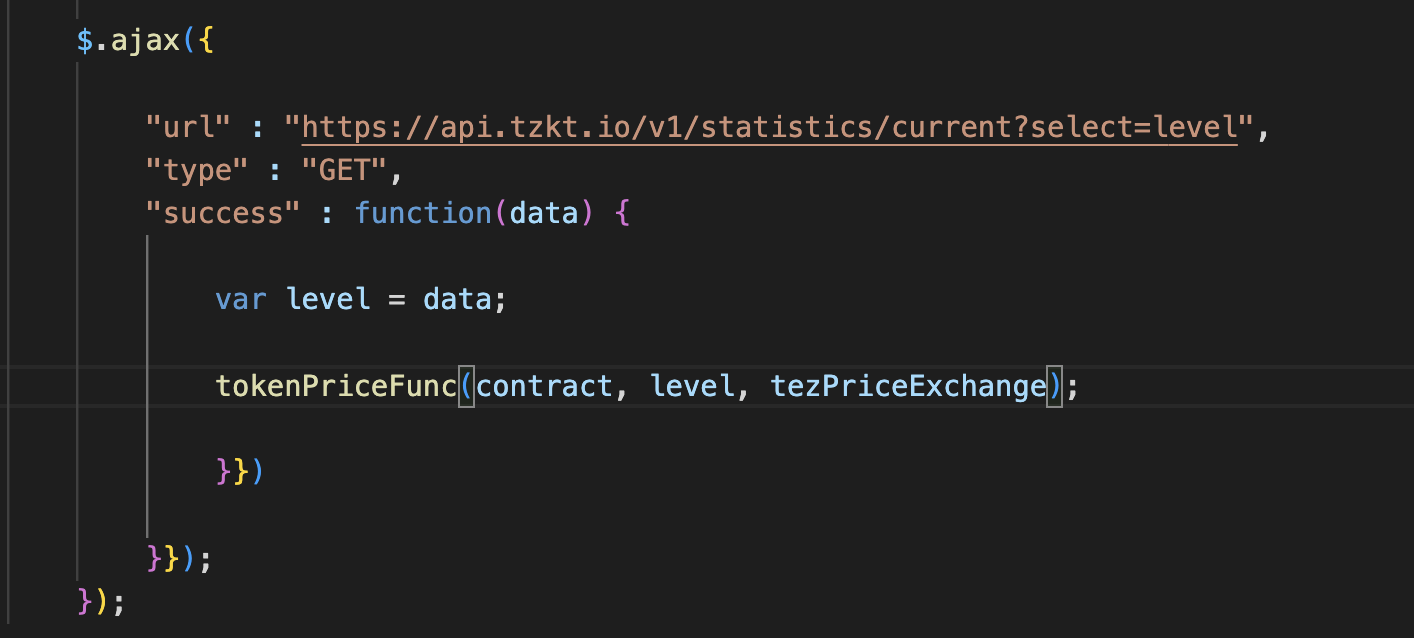
Let’s also add it to the function declaration in currentPrice.js. In the end, call the priceDayAgo function with the required parameters: pool contract address, level, current tez, and token prices.
Create a priceDayAgo.js file and import it into an HTML file. There, declare the priceDayAgo function and start doing the most challenging part.
First, calculate the block level, which was created 24 hours ago. To do this, subtract 2880 from the current level, the average number of blocks created per day: 1440 minutes * 2 blocks per minute. Let’s write it into the variable level24h.
Then request the price tez on the required block via API. Write this price to the auxiliary variable tezPriceExchange24h_e and round it up. Now calculate the price change in percent by subtracting the old cost from the current one and dividing it by the current one.
Add an if else: if the price difference, i.e., the value tezPriceExchange24h_e, is positive, add a plus sign to the total variable tezPriceExchange24h. If it is negative, leave it as it is: the minus will appear automatically.
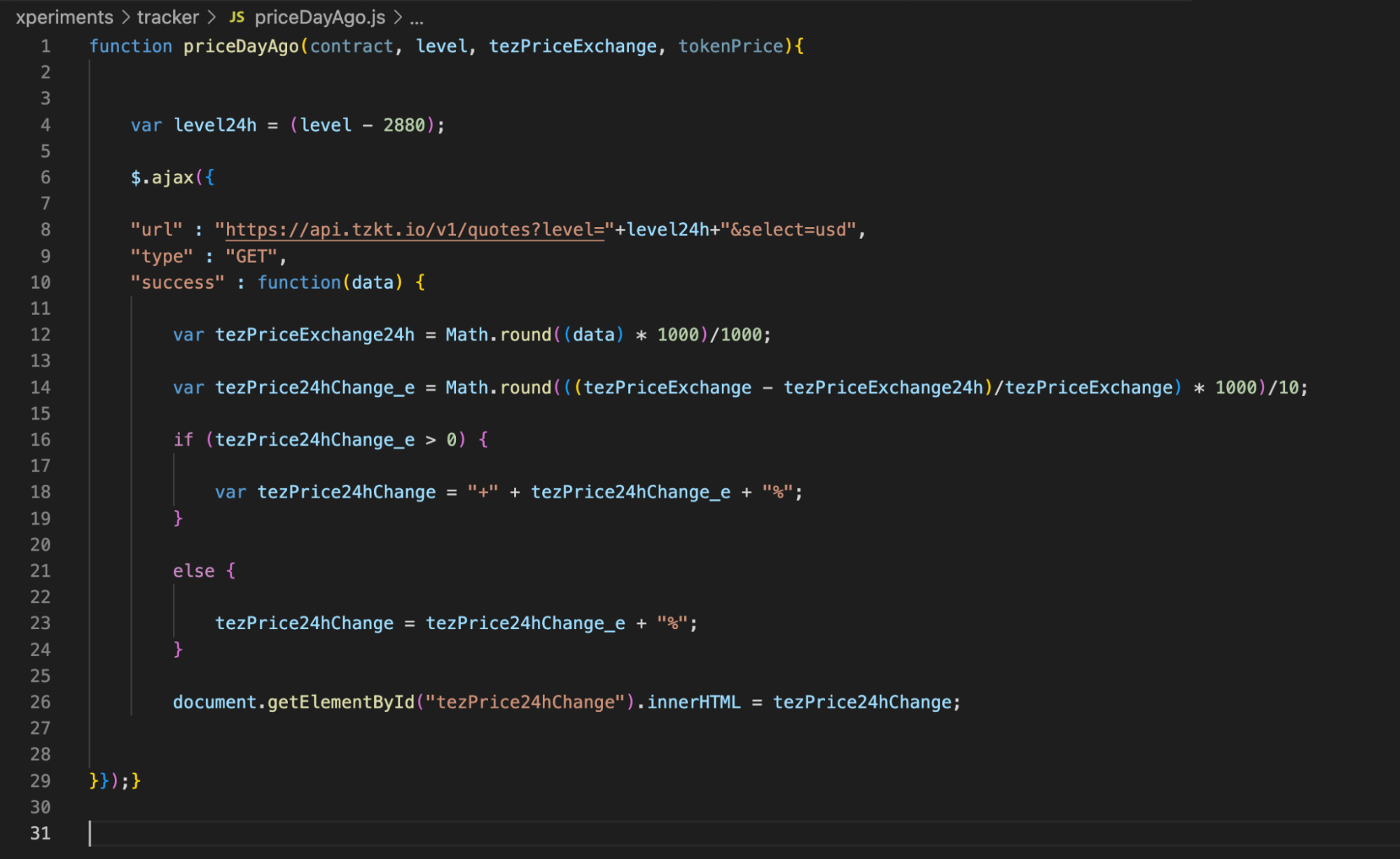
In the end, assign this value to the new HTML element and add it to the table.
Calculate the Token Price Change Over 24 Hours
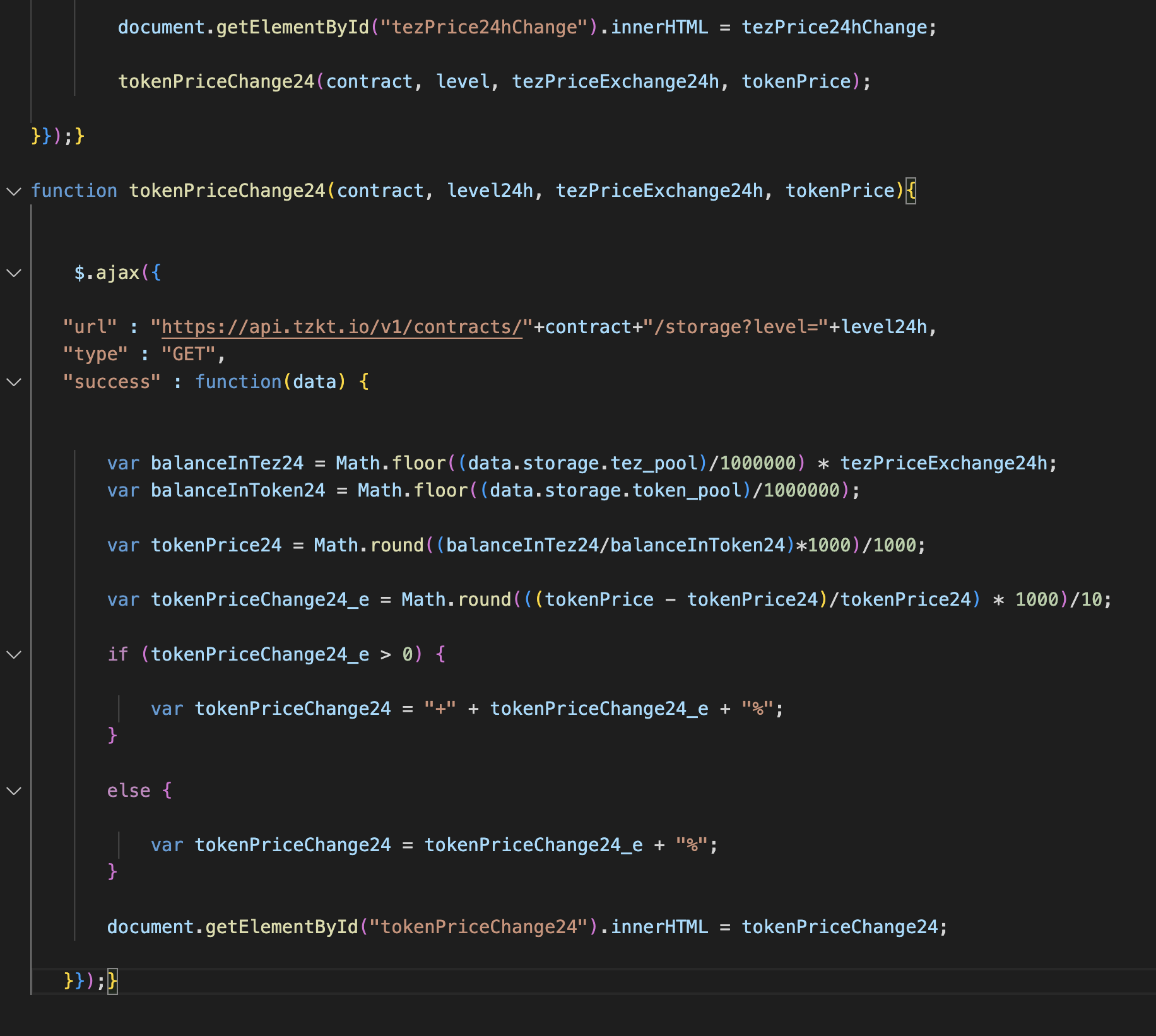
At the end of the priceDayAgo function, call the function tokenPriceChange24 (yes, we don’t like to standardize names).
Give it the contract address, the daily block level, the tez price 24 hours ago, and the current token price.
Then combine the function for calculating the token price with the function for calculating the price difference. Let’s query the storage state 24 hours ago, calculate the price by the number of tokens in the pool, compare it with the current price, and add a plus sign.
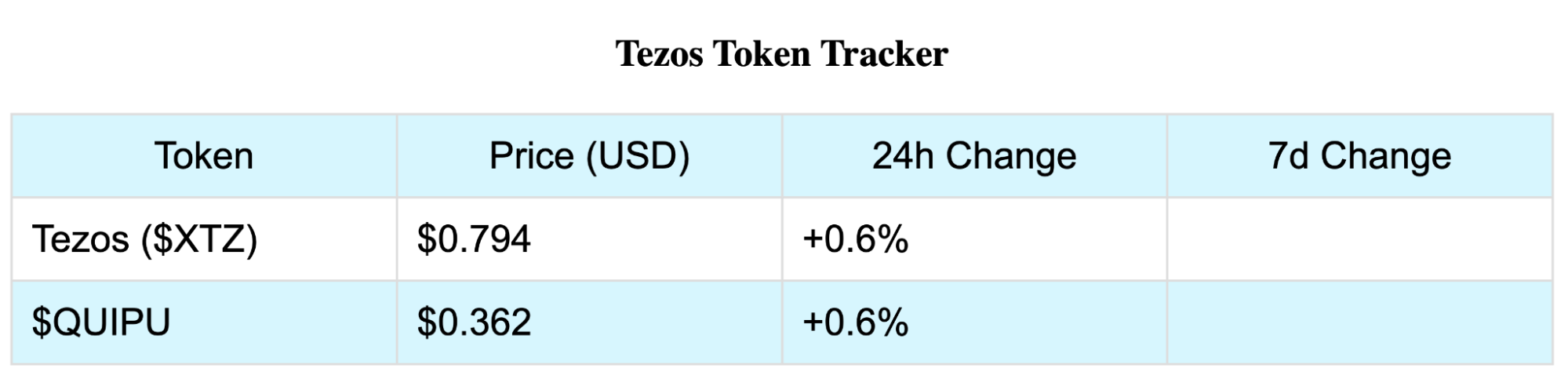
Add this element into the table.
Calculate the price change for the week in the same way. Create a new js file, copy the content of priceDayAgo into it, correct the level from -2880 to -20160, and adjust the variable names to avoid confusion. When we’re done, we’ll get our values.
Now for the fun part: let’s replace the QUIPU/tez pool contract with another one, for example, USDtz/tez contract. Reload the page and get the statistics.
Is It Really That Simple?
No. We have yet to do several important things. For example, the calculation of token price and percentage of price change can be put into separate functions. Also, the number of zeros after the decimal point from the tokens table could be queried so that the tracker correctly displays the prices of all FA1.2/FA2 tokens in general. You can also use filters more often to reduce the load on TzKT.
But as we’ve written before, our goal is to show that a worthwhile project can be created with minimum developer experience. You just need to know where the correct data is stored and how to use it.
Subscribe and never miss a thing from the world of Tezos!
- Telegram channel
- Twitter in Ukrainian
- Twitter in Russian
- Twitter in English
- YouTube channel
- hub at ForkLog


